 MINDBEBOP
Mental Background OS
MINDBEBOP
Mental Background OS


You know where you want to go. But getting your mind there can be another matter.
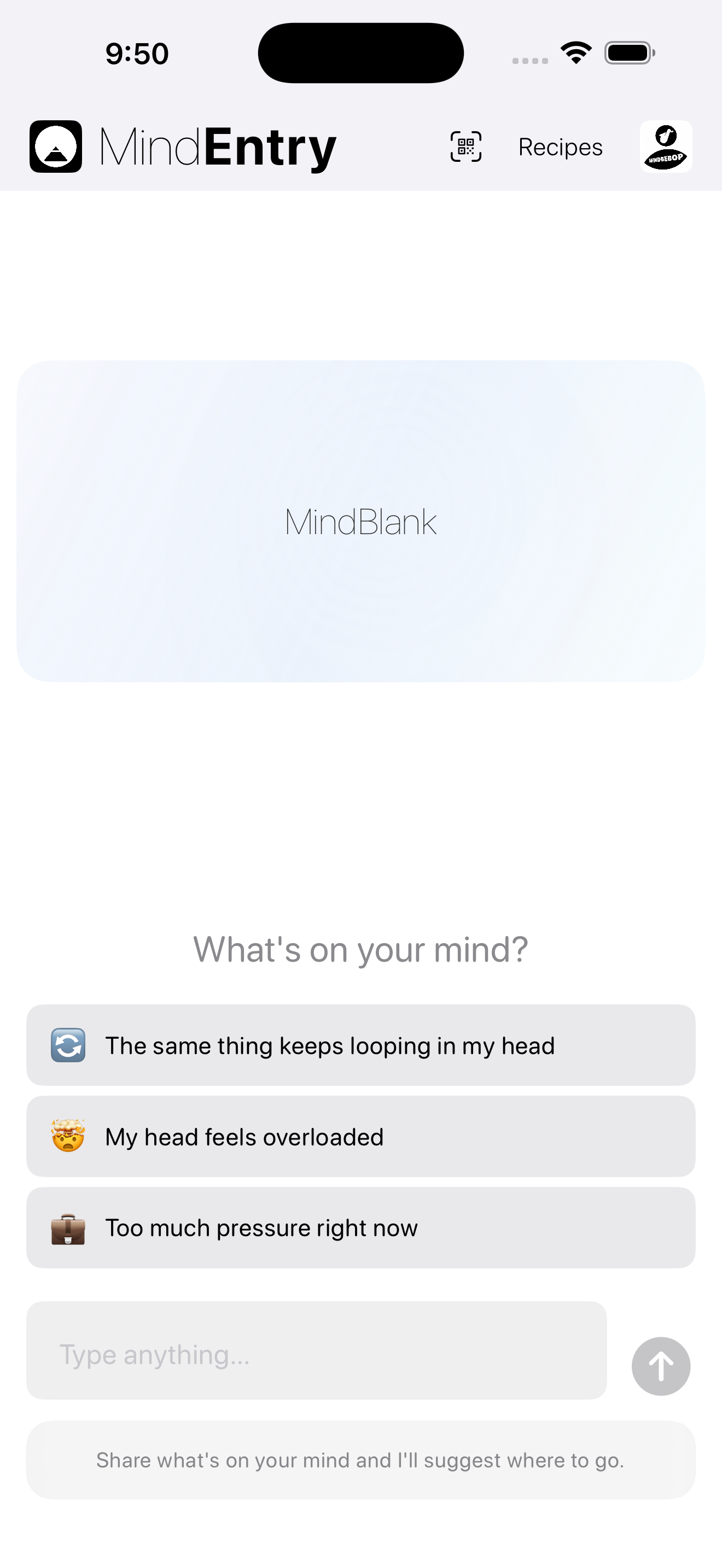
MindEntry is the Mental Navigation app at the center of MINDBEBOP. It helps you choose where you want to go, run Mental Steps one move at a time, and continue across MINDBEBOP tools when the route changes.
Not a chat app. Not a journal. Not a task manager. Not a coaching layer.
MindEntry is a place for Mental Navigation: starting where your mind actually is, choosing where you want to go, and moving through the Mental Steps that can help you get there.
Sometimes that means returning to Here / Now. Sometimes it means making one small move. Sometimes it means changing perspective, changing tools, or changing the route entirely.
Mental Navigation does not require a fixed route. The Next Move, route, perspective, or Mental Destination can change as you go.
MindEntry is the primary runtime for Mental Navigation.
Mental Navigation starts from your Current Position: where your mind actually is now.
When there is somewhere you want to go, that chosen Mental Destination becomes your Point B.
Current Position
↓
Mental Steps
↓
Point B
Point B does not have to be a large goal.
It might be Here / Now. The first small move. A quieter place. Stopping. Starting. Returning your attention. Or somewhere else that matters to you.
And the route is allowed to change.
Point B is chosen by you. MINDBEBOP does not decide where your mind should go.
Learn about Mental Navigation →
Different moments can call for different relationships or routes.
These are possibilities, not fixed prescriptions. The same thought can take different routes at different times.
Some Mental Navigations need more than one move.
MindEntry lets you create, run, share, import, and reuse Mental Steps.
Mental Steps can combine ordinary real-world actions with supported MINDBEBOP tools, allowing the route to move between the app and everyday life.
They can include custom steps, instructions, QR Mental Steps cards, and compact MER1 import text.
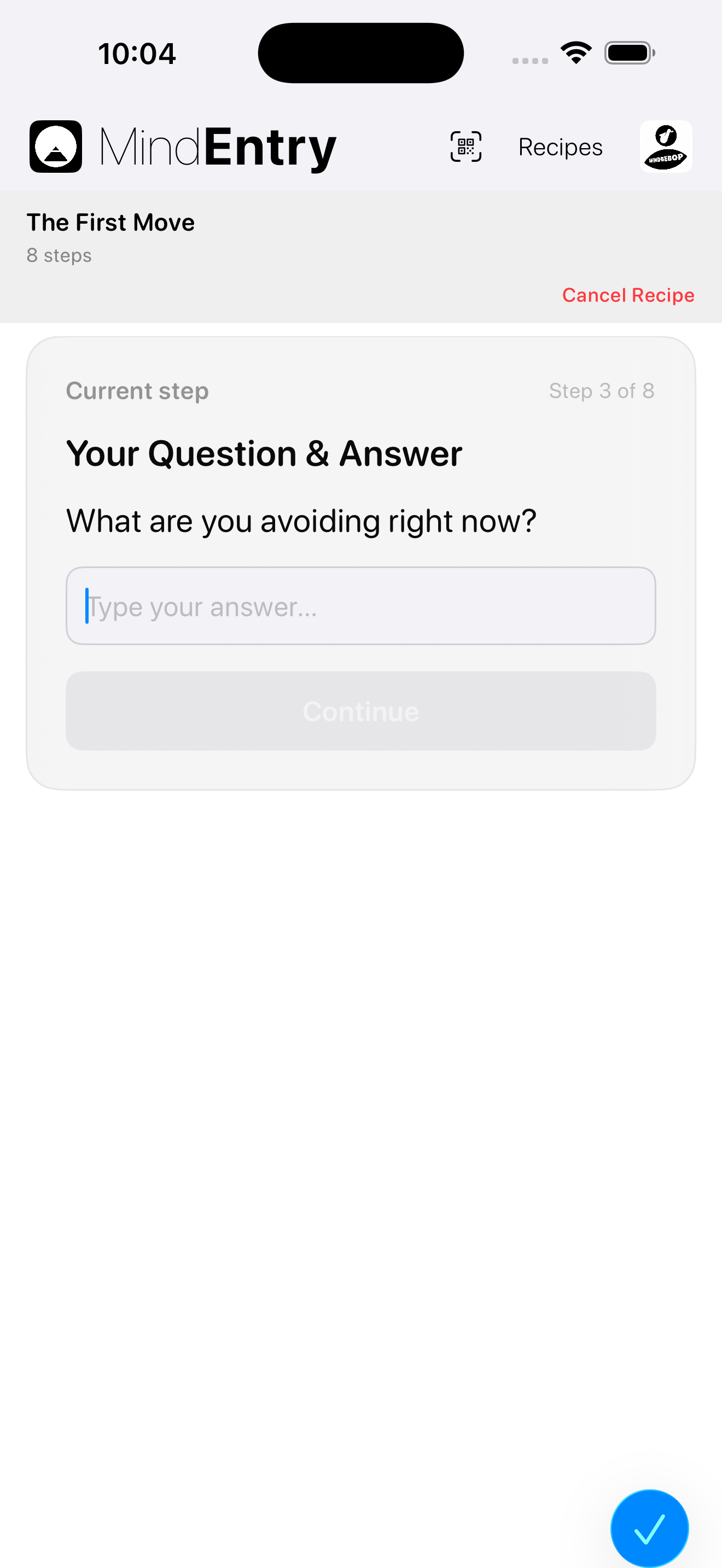
You do not need to hold the entire route in attention at once. MindEntry can present the Navigation one step at a time.
A set of Mental Steps is a possible route, not an obligation. If the route stops helping, the Navigation can change.
A Mental Navigation does not always begin inside MindEntry.
In Thought Space, a selected thought can exist as a persistent Thought Block before it has any destination at all.
A Thought Block can also be connected with one or more saved sets of Mental Steps.
Those connections keep possible paths available without requiring the thought to become a task or an active Navigation.
When you choose one of those Mental Steps, MindBackyard hands the path to MindEntry, where the Mental Steps can begin.
Thought Block
↓
Possible Mental Steps
↓
You choose a path
↓
MindEntry
A thought can have a place before it has a destination. A possible path is not an obligation.
Mental Navigation does not require you to follow the route exactly as it was originally planned.
As you move, your Current Position changes. What made sense at the beginning may no longer be the right Next Move.
You can change the route, use another MINDBEBOP tool, make the next move smaller, or change the Mental Destination itself.
Point B can remain the same while the route changes. And when Point B itself no longer makes sense, that can change too.
The route supports the Navigation. The Navigation does not exist to obey the route.
Hallway Mode is a spatial way to move between Mental Steps.
Instead of immediately presenting the next step, it can place a simple movement through Infinite Hallway between steps: move forward, find the next door, open it, continue.
The hallway can become part of the transition between one move and the next.
The Mental Steps do not have to change. Hallway Mode changes how you move between them.
Some Mental Steps can adapt while they run.
They can ask what matters right now, then use your answer within the active Navigation.
This allows the same set of Mental Steps to respond to different moments without requiring a separate version for every possible situation.
Runtime answers stay on your device and are not written back into the original Mental Steps.
The First Move is a set of Mental Steps for moments when you know there is somewhere you want to go but beginning feels unavailable.
Instead of asking you to complete the entire task, it narrows the Navigation toward the smallest move that feels possible now.
Current Position
↓
The smallest Next Move
The goal is not task completion.
The goal is movement.
The First Move is used across MINDBEBOP, including returned thoughts from MindShoutOut and First Move Unlock sessions in MindBackOut.
Compatible Mental Steps can use MindBackOut to create temporary distance from selected apps while a Navigation is active.
When Mental Steps App Blocking starts, selected apps can be blocked for the supported part of the Navigation. When it ends, those shields are removed.
The setting belongs to the Mental Steps, so different sets of Mental Steps can use different App Blocking configurations.
Mental Steps App Blocking requires MindBackOut. It is designed to support a chosen Mental Navigation, not to turn MindEntry into a productivity or task-management app.
When a Mental Navigation reaches a meaningful arrival, you may want to preserve something from it.
MindAnchor provides an optional way to keep a photo, words, or other supported reminder associated with that arrival.
Arrival does not mean the original thought has disappeared, been permanently solved, or will never return.
MindAnchor simply lets you preserve something from a place your mind reached.
How an Anchor may affect a later Navigation is something MINDBEBOP continues to explore.
MindBlank is a passive reflection of time spent away from active MINDBEBOP interaction in supported situations.
It is not a score, streak, diagnosis, or performance metric.
It does not claim to know whether your mind was literally blank or what you were thinking during that time.
Blank Map adds a simple visual layer for MindBlank time. Only the MindBlank interval is known. Everything else remains visual noise.
MindBlank is hidden while Mental Steps are actively running, so the current step stays in focus.
MindPreCog provides lightweight prompts at selected times or supported events when you may want access to MindEntry or another MINDBEBOP tool.
It can use morning, bedtime, weekly, or event-based prompts.
Calendar-based prompts can also open MindZoneOut before selected meetings, work sessions, or social situations.
MindPreCog is not prediction or analysis. It is a lightweight prompt system.
If available on your device, MindEntry may use Apple's on-device language models for supported assistance such as lightweight text classification or Mental Steps explanations.
When these on-device models are used, the processing occurs on the device rather than sending the thought content to MINDBEBOP for external model processing.
MindEntry can continue a Mental Navigation across other MINDBEBOP apps installed on your device.
These local handoffs are communication inside MINDBEBOP. They are not Cross-Dimensional Handshakes.
If a required app is not installed, MindEntry can guide you to install it.
MindEntry is free to use for creating, editing, sharing, importing, and manually running Mental Steps.
MINDBEBOP Access unlocks expanded Mental Steps storage, organization, scheduling, multi-run, recent history, Mind Detox Mental Steps, and supported AI-assisted routing.
Most movement between MindEntry and other MINDBEBOP apps stays local to the device.
When communication crosses the boundary between MINDBEBOP and the outside world, MINDBEBOP calls it a Cross-Dimensional Handshake.
MindEvent is the inbound direction: supported events from the outside world can enter MINDBEBOP.
The outbound direction can send supported Mental Steps lifecycle events as structured metadata to an external HTTPS destination explicitly configured by the user.
Outbound Cross-Dimensional Handshake transmits events, not thoughts. No user-created text is included in outbound Cross-Dimensional Handshake.
MindEntry was designed to help you navigate thoughts, not collect them.
Mental Steps, Mental Destinations, MindAnchors, runtime answers, notes, and other user-created mental content are not transmitted through outbound Cross-Dimensional Handshake.
When you explicitly choose to share or export something, that action is separate from the event-only outbound handshake.
MINDBEBOP does not need to decide what your thoughts mean or where your mind should go.
Your Point B belongs to you.
Your mind belongs to you.
Copyright © 2026 MINDBEBOP — All rights reserved.